Configurations
.env
We use .env file to manage some variables like API keys and secrets. You have to change .env.example filename to something that is more meaningful. You can use multiple .env files for multiple environments eg. just .env or .env.production for release and .env.dev for development keys. Whatever you use make sure to add it to main.dart
void main() async { WidgetsFlutterBinding.ensureInitialized(); GetStorage.init(); await dotenv.load(fileName: ".env.dev"); // Add the file name here await Supabase.initialize( url: dotenv.env['SUPABASE_URL']!, anonKey: dotenv.env['SUPABASE_KEY']!, ); runApp(const MyApp());}Now you have to add your project url and anon key to your newly created .env file which can be found here
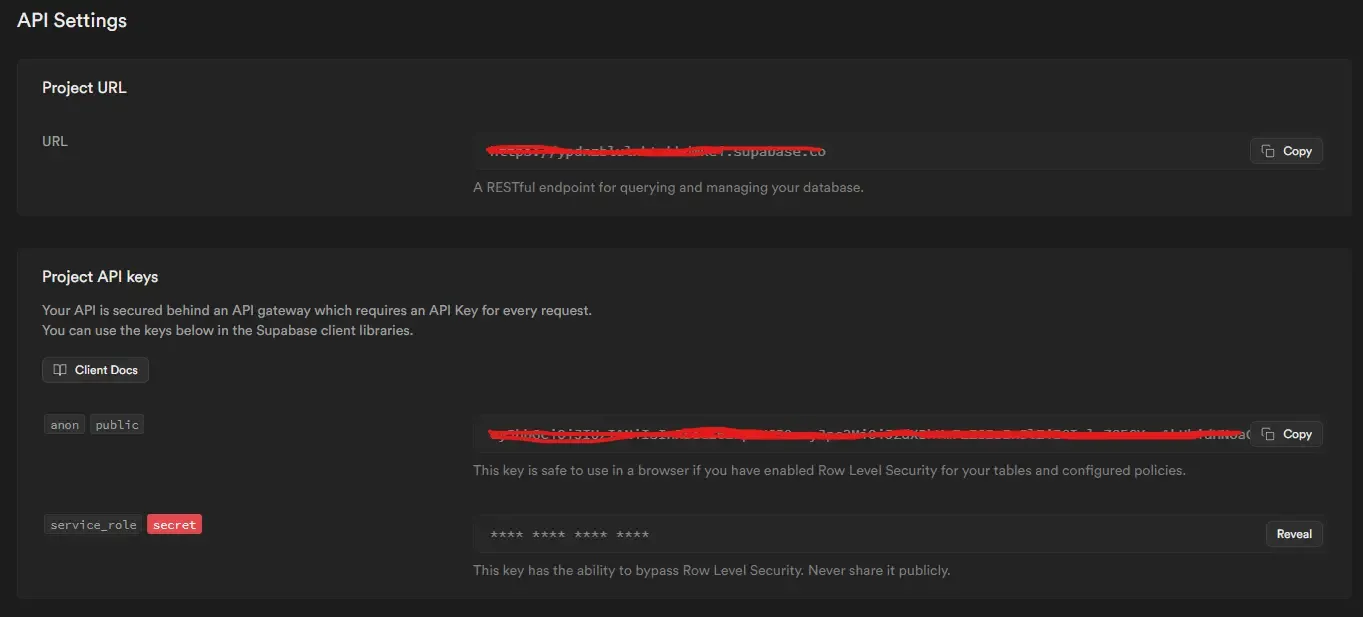
and add these to the .env you created
SUPABASE_URL=https://<project-id>.supabase.coSUPABASE_KEY=KEY